 Sasly Inventory
Know what
you own.
Where it is, and what it is worth. Label it, scan it, count it, and have the capital asset schedule ready at year-end.
Preparing for pilot. Demo on request.
Get the highlights.
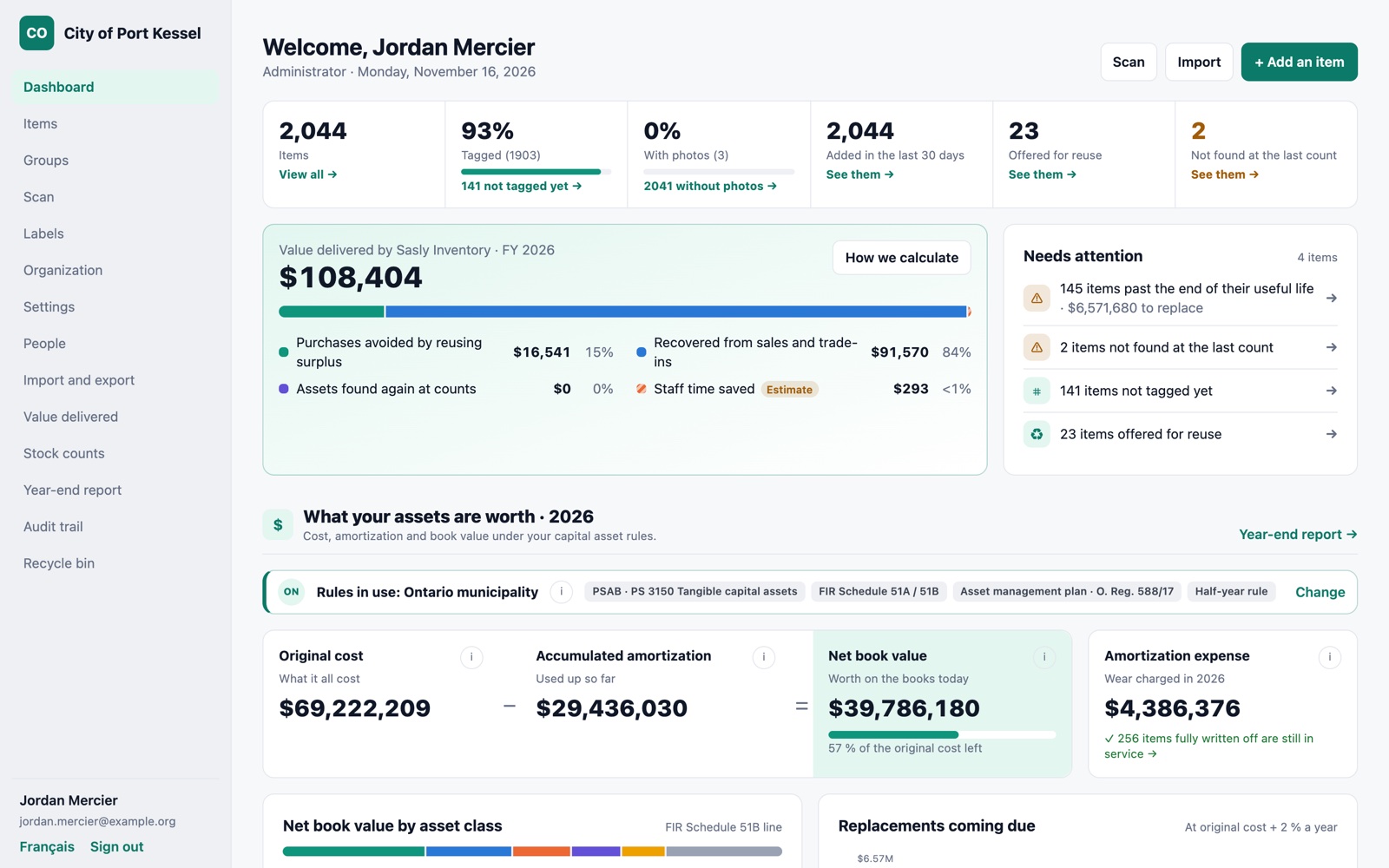
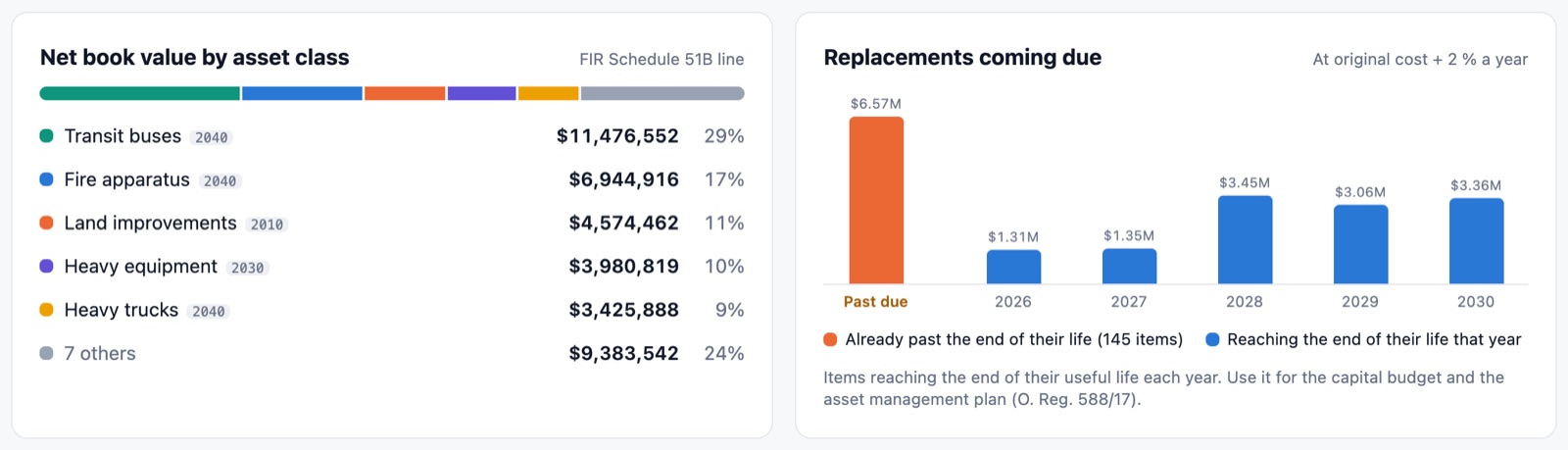
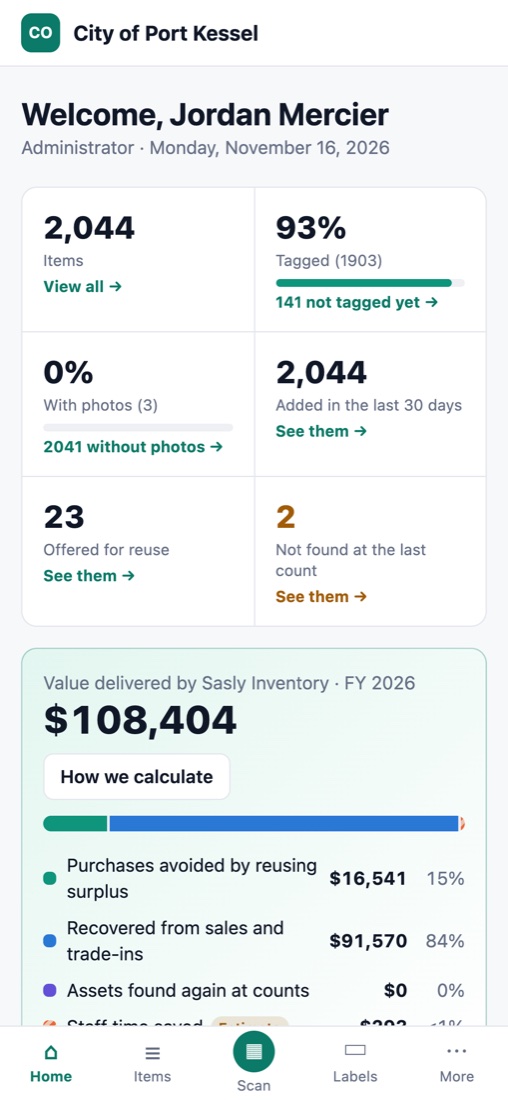
How much is registered and tagged, what is offered for reuse, and what the last count did not find.
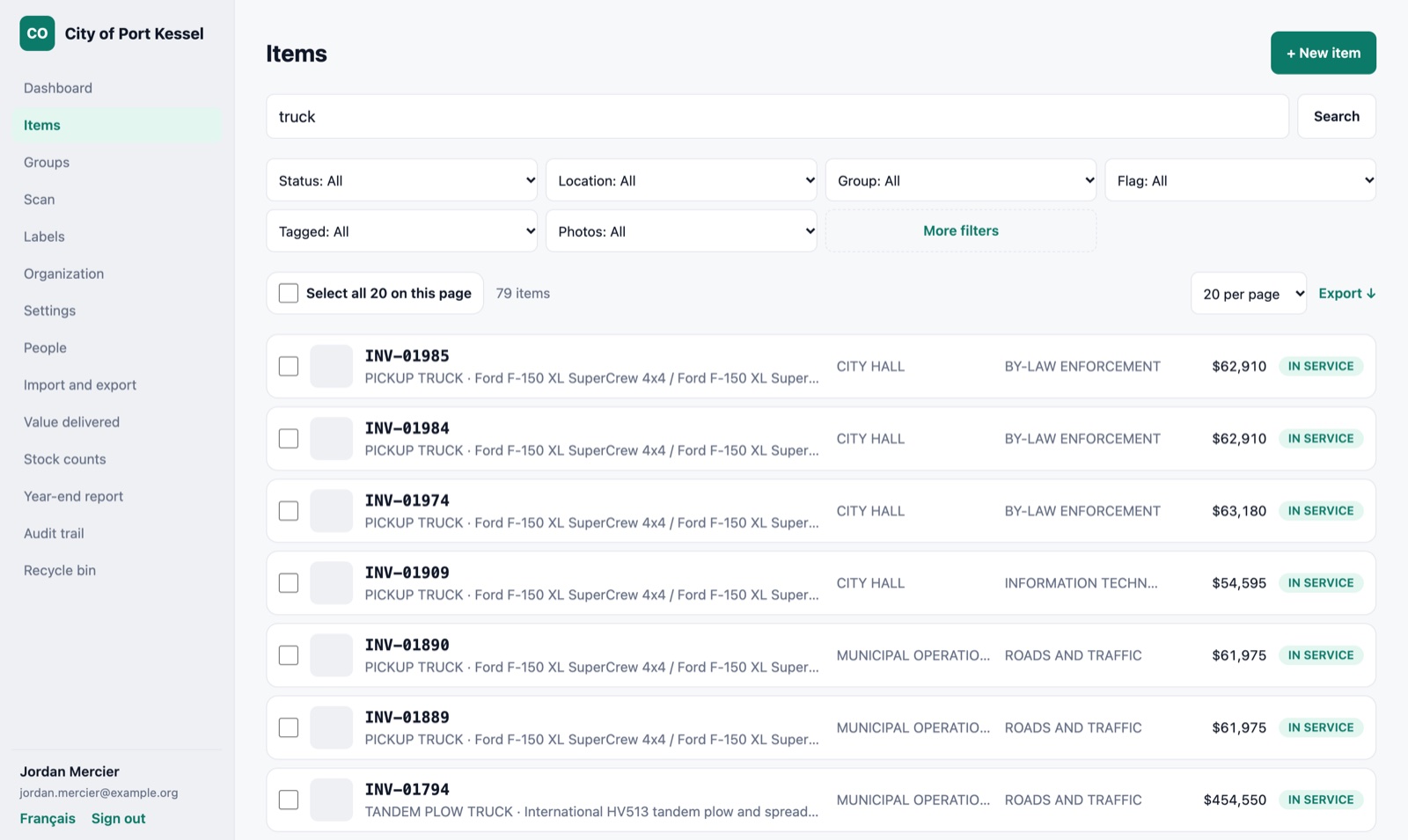
Search by ID, description, location, serial number or any field you added. Any list exports to Excel.
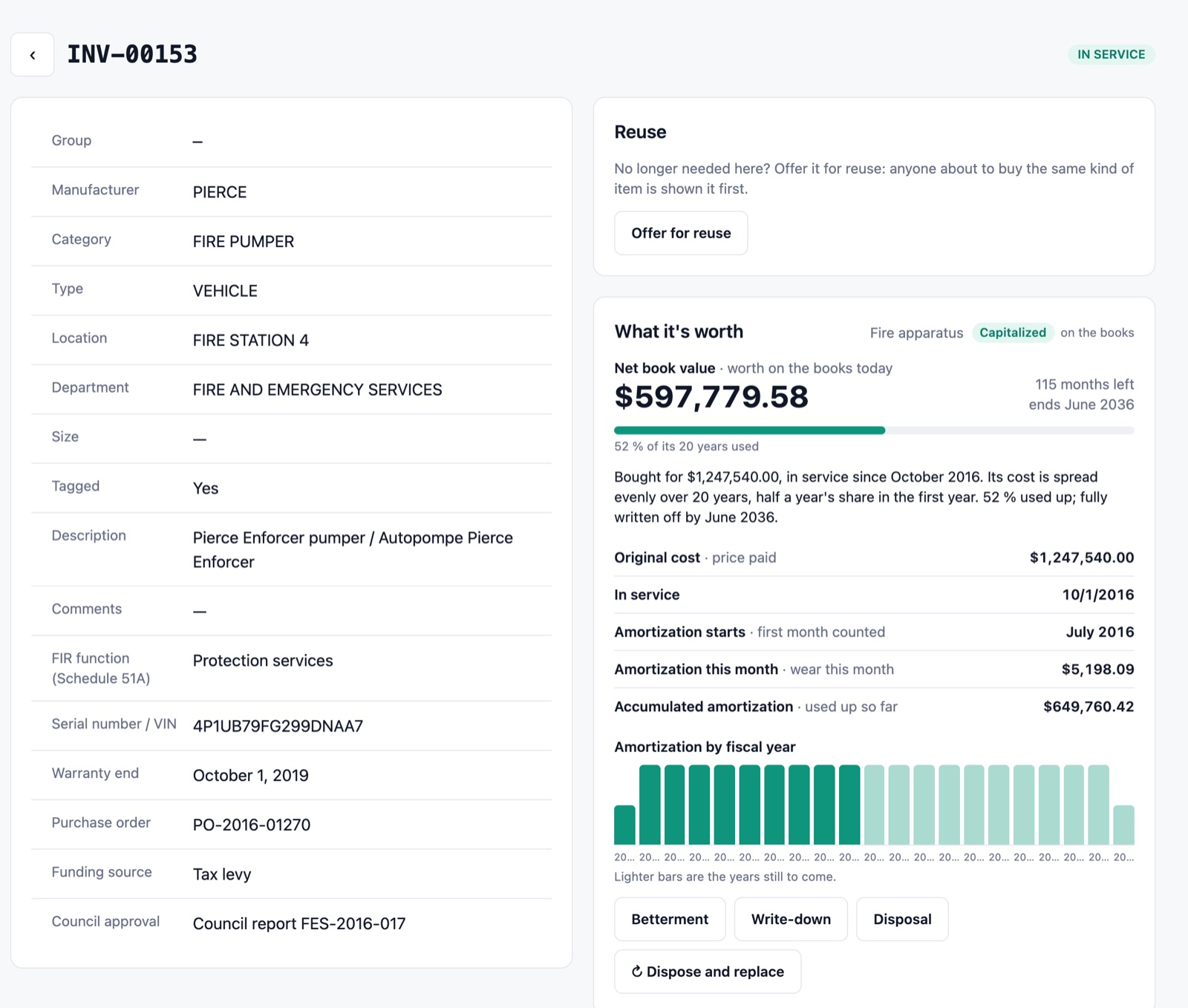
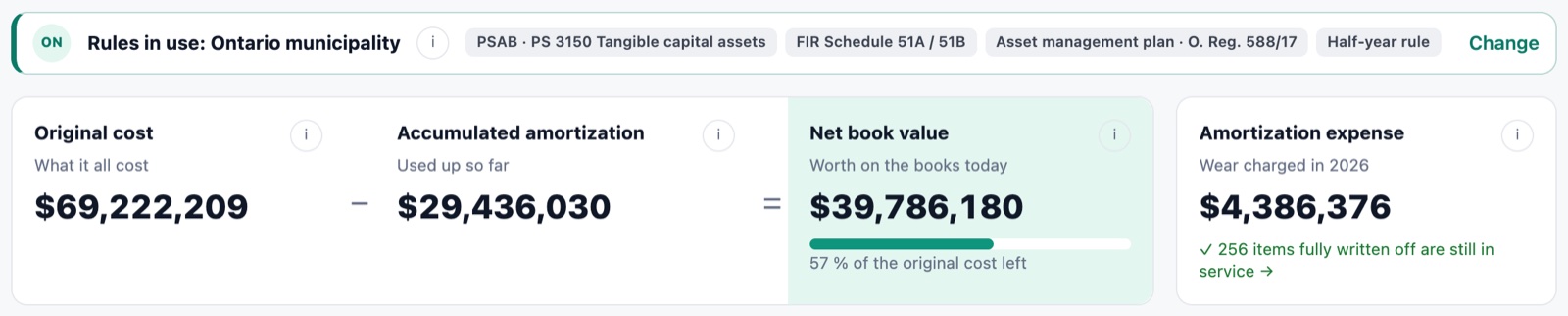
What was paid, when it entered service, how much is used up, and what it is worth on the books today.
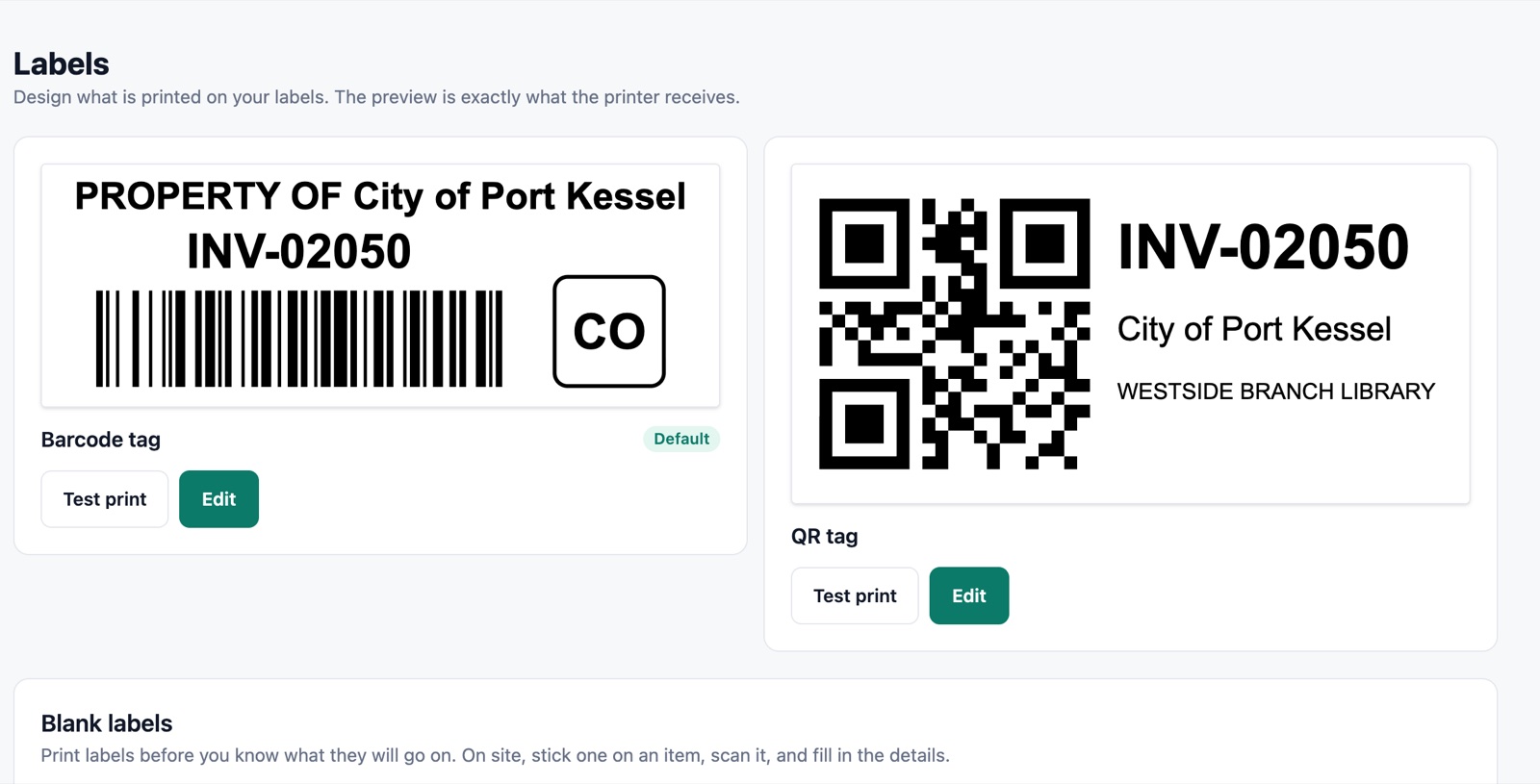
Barcodes, QR codes or Data Matrix, with your logo, on label tape or adhesive sheets.
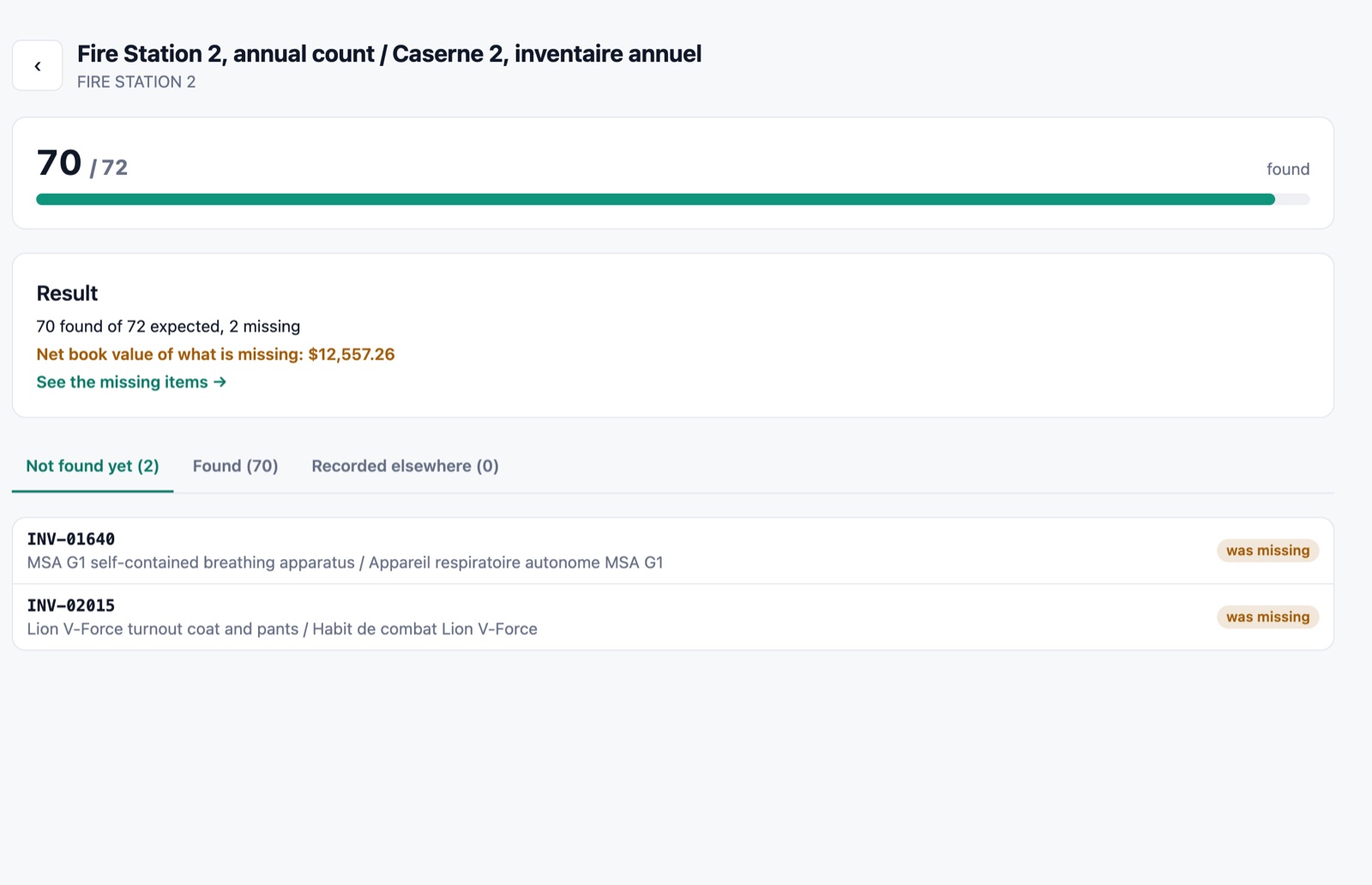
Count by location. What is missing is flagged with its book value.
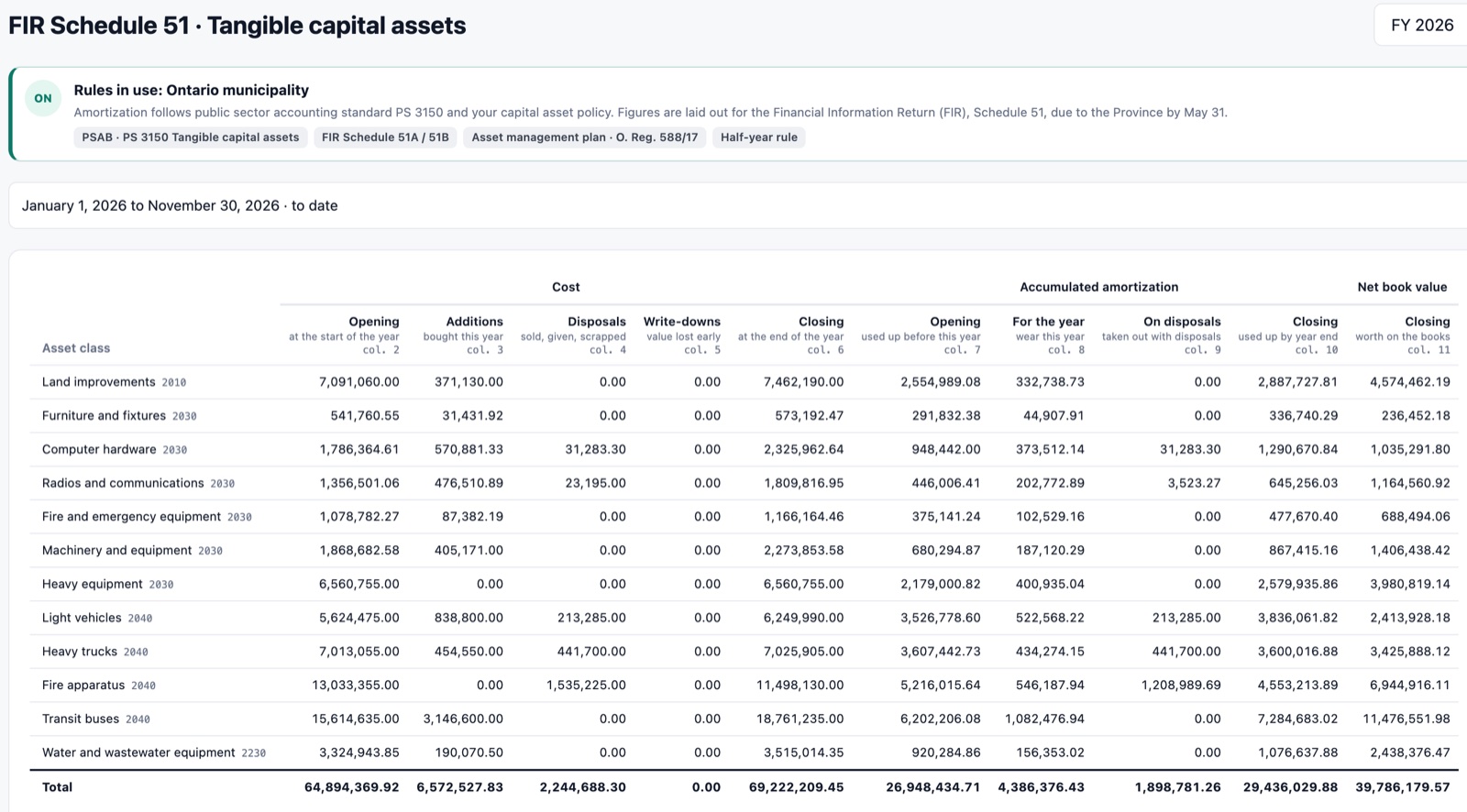
The schedule comes out in the layout of the Financial Information Return.
Data sovereignty
Your asset data lives where you decide.
Sasly Inventory runs on a computer or server in your own building. The register, the photos and the audit trail stay with you, and nothing is sent to SASLab.
1
One small program.
It installs on a single machine in your organization, from one PC to a departmental server.
Your premises today.
The database sits on hardware you control. Hosting in Canada, for organizations without a server, is planned.
Take it with you.
Every list exports to Excel. Your records are never locked into the product.
Photos without location data.
Pictures taken on a phone are resized on the server and stripped of their location data before they are stored.
No outside service required.
Labels, counts, amortization and reports all run locally. There is no cloud account to create.
Security
Every change leaves a trace.
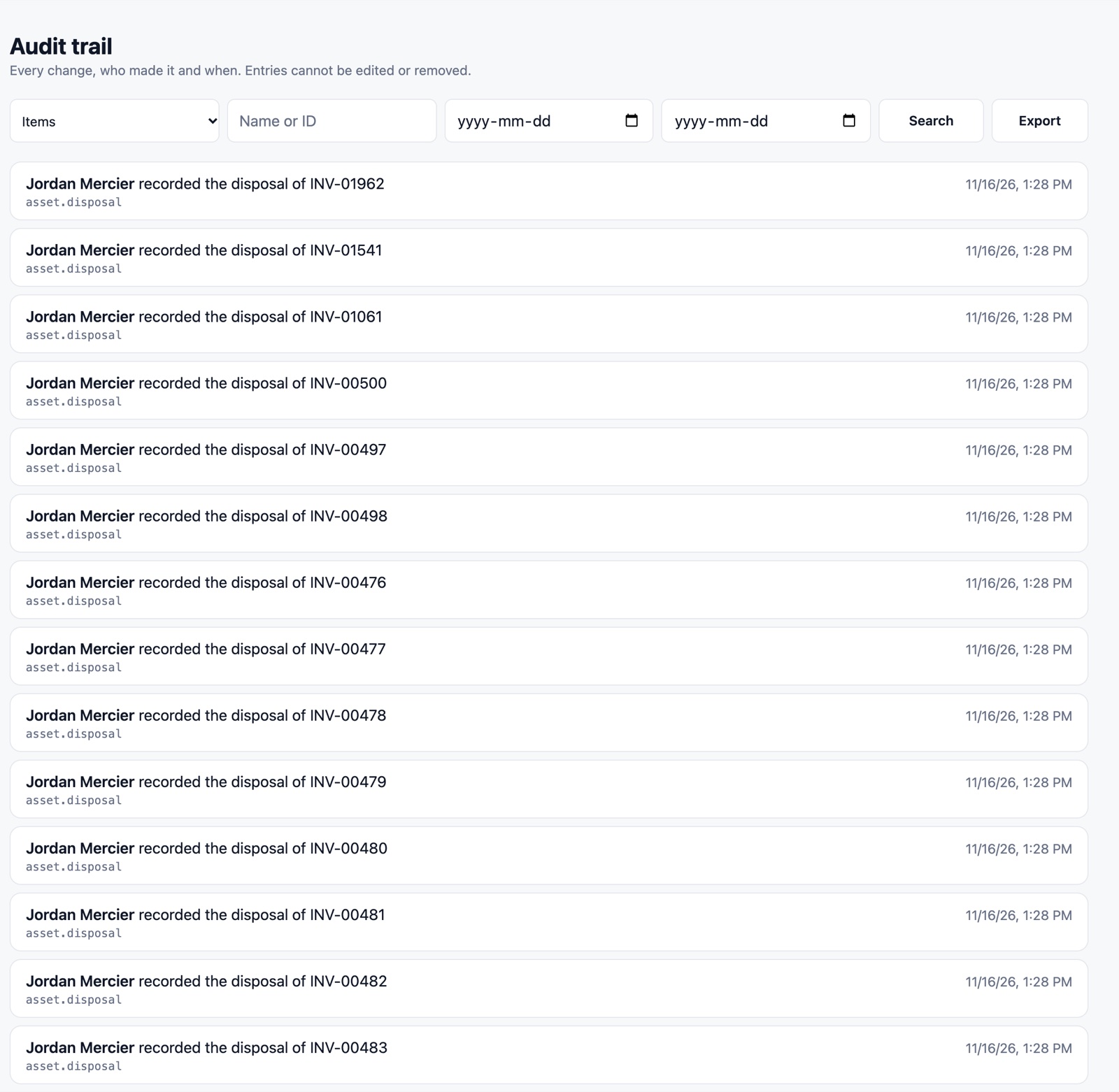
Who changed what, and when, is recorded for every item. Roles decide who can view, edit, dispose and close a year, and audit entries cannot be edited or removed.
An audit trail auditors can read.
Each entry says who did what to which item, in plain words.
Roles and permissions.
Operations, finance and administrators each see and change only what their role allows.
Safe scanning.
Only an exact match opens an item. A stray barcode never edits the wrong asset.
A recycle bin.
Deleted items can be restored. Permanent deletion is a separate, audited step.
Closed years stay closed.
Closing a fiscal year freezes its figures. Later corrections are recorded in the open year.
Efficiency
One register that operations and finance both trust.
Laptops, radios, fleet and furniture are usually tracked in one spreadsheet per department. Sasly Inventory replaces them with a single register that is current all year.
≈3ms
Instant, even at 2,000 items.
Time to list or search the 2,044 assets of our sample city.
15
Asset classes, already set up.
The Ontario template maps classes to FIR Schedule 51B lines, each with its threshold, useful life and method.
Labels you design.
What you see is exactly what the printer receives. A built-in check warns when a barcode would be too fine to scan.
Counts that reconcile themselves.
Count by location with a handheld scanner. What is on the floor is matched against what is on the books.
Excel in, Excel out.
Import checks every row first and shows what would be created, updated or rejected.
IDs in your format.
Prefix, running number, year, category code. An ID once issued is never reused.
English and French.
In every screen, label and e-mail.
Cost
Stop rebuilding the schedule by hand.
Each year finance rebuilds the capital asset schedule by hand, and departments buy what another department already has in storage. Sasly Inventory is designed to remove both costs.
Year-end, already done.
Amortization runs every month. The schedule comes out in the Financial Information Return’s own layout, under PSAB PS 3150.
Reuse before you buy.
Surplus items are offered across departments. The product keeps a running total of purchases avoided and proceeds recovered, and shows how each figure was worked out.
Settings, not custom development.
Field names, numbering rules, roles and label designs are settings your own staff can change.
The printers you have.
Label tape or standard adhesive sheets, starting at any position on a part-used sheet.
No training course.
Screens use the words staff already use, and each screen does one job.
Figures in the screens above come from a fictional sample city and illustrate how the product reports value. They are not results from a customer.
Where it came from
It started as a system we built for a municipality.
We built an asset and inventory system for an Ontario municipality. It is in production, and we host and support it.
Sasly Inventory is a new product written from what that project taught us about labels, counts and year-end reporting. It is not the same software, and we do not describe the custom system as a product you can buy.
Made for Ontario
The books, kept the way Ontario municipalities report them.
PSAB PS 3150
Capitalize, pool, track or expense, decided by each class’s threshold and explained on the item.
FIR Schedule 51
The year-end schedule is produced in the layout the province asks for.
An Ontario company
SASLab is based in Kitchener, Ontario. Since April 2026, the Buy Ontario directives ask public buyers to give preference to Ontario and Canadian suppliers.
Data in your building
The register stays on hardware you control.
Bilingual
English and French in every screen, label and notification.
Support from the people who built it
The team that writes the software answers your questions.
Tech specs
What it runs on.
- Installation
- One program on a computer or server you control. Runs on macOS today. Windows and Linux installers are being completed and tested.
- Staff devices
- A current web browser on a computer, tablet or phone. Light and dark mode.
- Labels
- Code 128 barcodes, QR codes or Data Matrix. Label tape or full adhesive sheets (Letter 30-up and 80-up, A4).
- Scanning
- Handheld scanner or typed ID today. Scanning with a phone camera is being completed.
- Asset value
- Straight-line or declining-balance amortization, monthly, with betterments, write-downs and disposals.
- Import and export
- Excel in, with a row-by-row preview. Excel out from any list.
- Sign-in
- Local accounts with two-step verification. Sign-in through Microsoft Entra ID is being tested against a live tenant.
- Languages
- English and French.
Working today
- Item register, groups, photos and custom fields
- Label designer and printing
- Scanning with a handheld scanner or typed ID
- Stock counts by location
- Cost, amortization and net book value
- Year-end close and schedule export
- Roles, permissions and audit trail
Being completed for version 1.0
- Scanning with a phone camera
- Windows and Linux installers, tested on customer-type machines
- Sign-in through a live Microsoft Entra ID tenant
- Hosting in Canada for customers without a server
- Asset management planning reports
Questions buyers ask.
Where is our data stored?
On the computer or server you install it on. SASLab does not hold a copy. A hosted option in Canada is planned for organizations that prefer not to run a server.
Can we bring in our existing spreadsheets?
Yes. The import reads Excel files, checks every row and shows you what would be created, updated or rejected before anything is saved.
Do we need special label printers?
No. Labels print on label tape or on standard adhesive sheets from an ordinary printer.
What does it cost?
Pricing is not published yet. We quote per organization after a demonstration.
Is this the system you built for a municipality?
No. That custom system is in production and we support it. Sasly Inventory is a new product built from what we learned there.
Is it certified?
No. Sasly Inventory is in development and does not hold security or accounting certifications. The Ontario template follows PSAB PS 3150 and the FIR layout; your finance team and auditor remain the authority on your reporting.
Bring a spreadsheet. See what the import does with it.
We run the demonstration on sample data, and we can load an export of your own list if you send one ahead of time.