The Sasly ecosystem
Your software.
Your server.
Your data.
Local-first office software for Canadian municipalities and public organizations. Three products today, growing on one foundation.

Why Sasly
Office software that keeps your records in your own hands.
Municipal work runs on email, documents and asset records. Much of it now sits in outside cloud services, where an outage stops the work and the organization has limited say over where its records live. Sasly is designed to run on your own computers and servers, and to keep working when an outside service does not.
Start with one product
Every product works on its own. There is nothing else to buy or install first, and no commitment to the whole suite.
One sign-in as you grow
When you add a second product, staff will use the same account and your IT team will manage users in one place.
You choose where it runs
On one computer, on a server in your building, or in a cloud you approve.
AI that stays inside
AI is optional and off by default. When you turn it on, it reads only what each employee is permitted to see.
Work continues through outages
When an outside service or the internet connection is down, staff can still find and read what they need.
Built for a small IT team
One installer, one background service, one backup and one update to manage.
Data sovereignty
Your data stays in your building.
Every Sasly application runs on hardware you control. Documents are read where they are, AI runs on the same machine, and no outside provider holds a copy unless you decide to involve one.
Data residency.
Your records are stored on your own computers or servers by default.
Data sovereignty.
Deployed in your own server room, the data and the keys that protect it stay under your control and under Canadian jurisdiction.
Cloud is a choice.
If you allow an outside service, you decide which one, for which requests, and what is removed first.
Security
The same controls in every application.
Buying one Sasly application teaches you how the others behave. Permissions, audit and sign-in work the same way across the line.
Permissions enforced on the server
What a person may not see does not reach their browser.
An audit log
Sign-ins, searches, views and changes are recorded and can be reviewed and exported.
Two-step verification
Available to everyone, required for administrators.
Encrypted backups
Backups are encrypted before they are written.
Human review
AI proposes. A person approves anything that leaves the organization.
Plain status labels
We say what is available, in pilot or planned, and change a label only when the work has been demonstrated.
The ecosystem
Products on top. One foundation in the middle. Your environment below.
You choose the products. Sasly Server is the foundation that will sit under all of them. The bottom layer is yours: the sign-in system you already have, the place you keep data, and optional AI hardware.
Products each runs on its own
Every access goes through the foundation first
Sasly Server one foundation under every product Planned
Connects to what you already have
Your environment
The design the suite is being built toward. Today each product includes its own sign-in and administration. Sasly Server will bring them together.
Coming next
What we are building after the first three.
Everything in this section is planned. It describes intended direction, and it may change as pilots teach us what customers need.
Sasly Server.
The shared foundation: one sign-in, one user roster, one admin console, one backup and one update across every product. It connects to your existing identity system and does not replace it.
Central local AI.
One AI service in your server room that every product shares, instead of a separate model inside each product. It will be measured in a pilot before it is offered.
Sasly Drive.
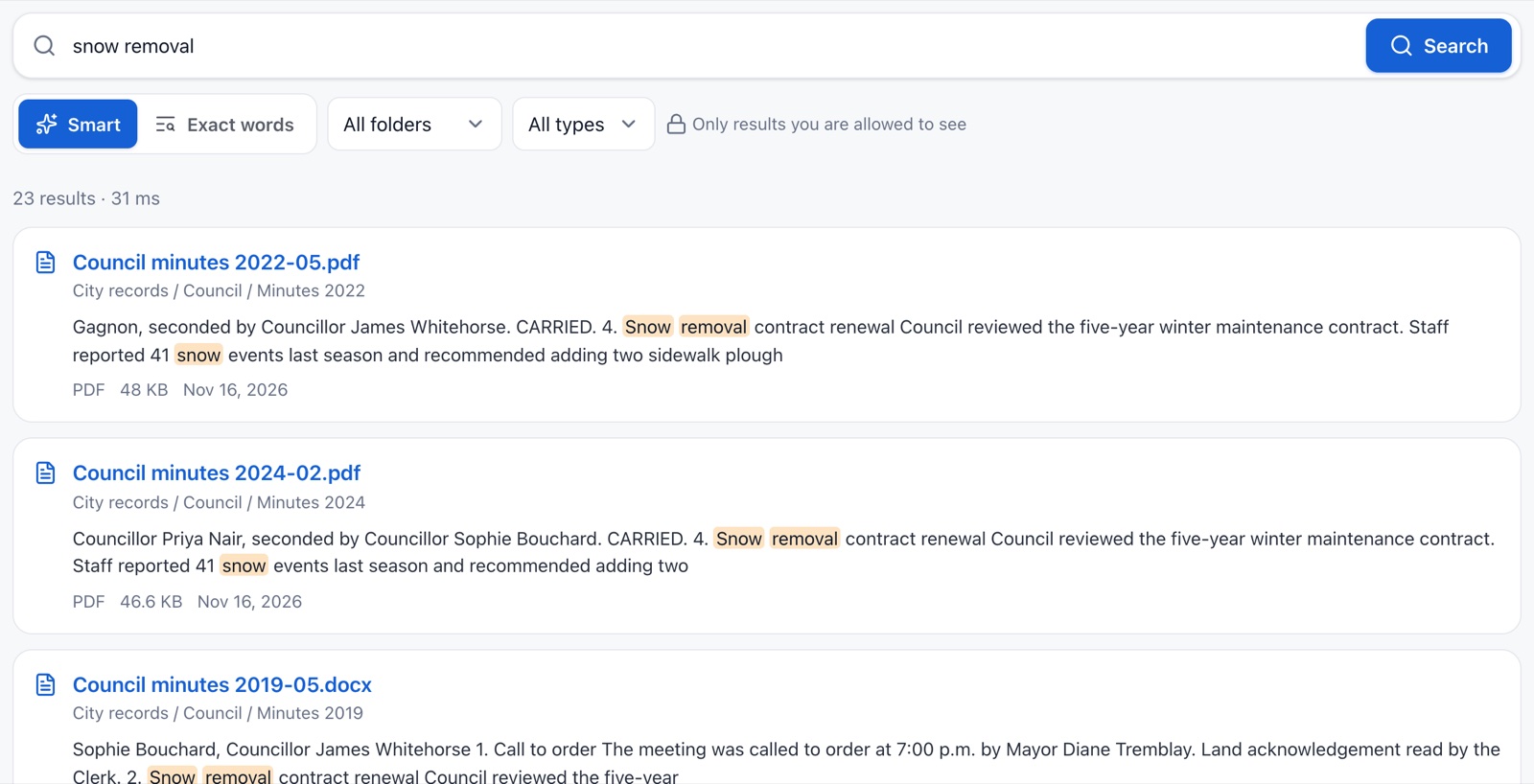
Your organization’s own file storage, on your own server, with folder permissions, version history and a recycle bin. Files are indexed by Sasly Knowledge as they are saved.
Sasly Workspace.
One front door for every Sasly product you run: a single place to sign in, switch between products and search across them. It appears when you run two or more.
Mail continuity.
A full copy of staff mail on your own server, and a gateway that keeps mail moving when the outside mail service is down. Staff keep their current mailboxes.
Sasly Database.
A home for the structured records that are neither a document nor an asset. We are still defining what it should cover with the organizations we work with, so we are not describing features yet.
Working together
Products that cooperate without pooling your data.
Each product keeps its own data and lets the others use it through links, events and one search. Every time, the foundation checks whether this employee is allowed.
Planned. If you run only one product, none of this is required.
- 01A supplier’s email arrives with a purchase contractEmail
- 02The attachment is filed under ContractsDrive
- 03The contract is indexed so it can be foundKnowledge
- 04The asset page links to the contract and the emailsInventory
An example of the intended behaviour. When a link is opened, the owning product still decides whether this employee may see it.
Roadmap
Where the ecosystem is going.
The roadmap gives the order of work, not dates. Each stage is finished and tested before the next begins.
Now
Pilots
- Pilots of Knowledge and Inventory in customer environments
- Signed installers
- Validation on Windows Server and Linux, and with customers’ own directories
Next
One foundation
- Sasly Server: one sign-in, one roster and one admin console across products
- Sasly Workspace as the single front door
- Central local AI, measured in a pilot
Then
Connected products
- Links, events and one search between products
- Sasly Drive, first version
- Mail continuity: a full copy on your server, then a continuity gateway
Later
Shaped by customers
- Sasly Database, once its scope is defined
- An independent mail server, for organizations that want one
- A Drive sync client and further products
Security work runs through every stage: a threat review for each, independent testing before general release, and signed updates throughout.
Pilots
How to start.
A pilot runs in your environment, with your directory and a sample of your own data, before any wider rollout.
1
Choose one product and one department.
A contained start with a clear question to answer.
2
Install in your environment.
On a server or virtual machine you provide, connected to a test group in your directory.
3
Use your own material.
A sample of your files or your asset list, so the result reflects your real work.
4
Review together.
After an agreed period: what worked, what is missing, and whether to continue.
What we commit to as the suite grows
- Your data migrates automatically on upgrade
- Backups from every earlier version can still be restored
- Running on a single computer remains supported
- English and French interfaces are kept complete in Knowledge and Inventory, and extended to new products
What we promise, and what we do not
We do not promise that nothing will ever go down. We promise that when an outside service is down, your staff can still work.
Cost
Affordable to install. Affordable to run.
Sasly is built for organizations that answer to a budget. One program, ordinary hardware, and no AI charges that grow with every question.
1
One program to install.
A single installer on the server, with a setup wizard. Nothing to install on staff computers.
$0
Per AI question.
A local model has no meter. Your cost is the server you already run, not a fee per user per month for AI.
Buy one, add later.
Each application is complete by itself. Sasly Knowledge does not require Sasly Inventory, or the other way round.
Keep what you have.
Your shared drives, your mailbox, your label printers and your spreadsheets stay in use.
Less staff time.
Searching instead of asking around, counting by scanner, and a year-end schedule that is already built.
Pricing is not published yet. We quote per organization after a demonstration.
Made for Ontario
In step with how Ontario public bodies now buy.
Three things have changed for public-sector buyers in Ontario. Sasly was designed with each of them in mind.
Buy Ontario
Since April 2026, provincial and municipal Buy Ontario directives ask public buyers to give preference to Ontario and Canadian suppliers. SASLab is based in Kitchener, Ontario.
Cyber security rules
The Enhancing Digital Security and Trust Act, 2024 and its cyber security regulation set requirements for prescribed public bodies, including assessments and incident reporting. Software you run yourself, with a full audit log, is easier to account for.
Custody of records
Ontario’s freedom of information laws apply to records in an institution’s custody or under its control. With Sasly the records do not leave either.
This is a description of how the products are designed, not legal advice. We do not claim compliance on your behalf, and we will tell you which of your requirements a product does not meet yet.
Deployment
What it runs on.
- Your server
- A single program on a server in your building or your data centre. The products run on macOS today. Windows and Linux installers are being completed and tested.
- Staff computers
- A current web browser. No plug-ins and no local index.
- Phones and tablets
- The same screens adapt to a phone, in light or dark mode, with no app to install.
- Sign-in
- Local accounts with two-step verification today. Sign-in through Active Directory and Microsoft Entra ID is being validated against customers’ own directories.
- Before general release
- Signed installers, validation on Windows Server and Linux in customer environments, and an independent third-party security test.
Start with one product. Grow when you are ready.
We run a demonstration on sample data that resembles yours, and tell you what is ready today and what is not.