 Sasly Email
Your inbox, organized.
Your mail, still yours.
Email, clients, projects and tasks in one workspace that runs on your own computer.
Private testing.
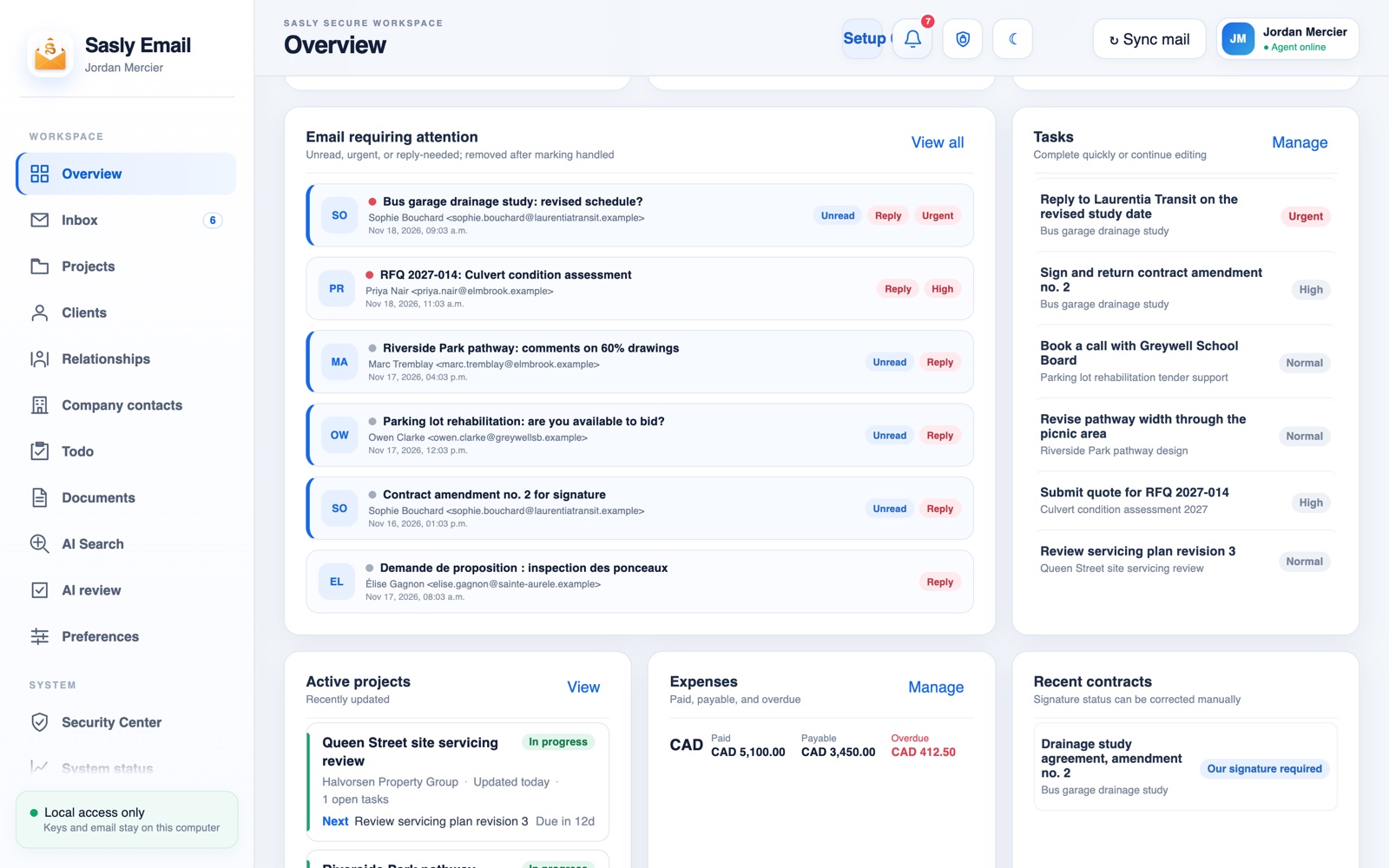
Get the highlights.
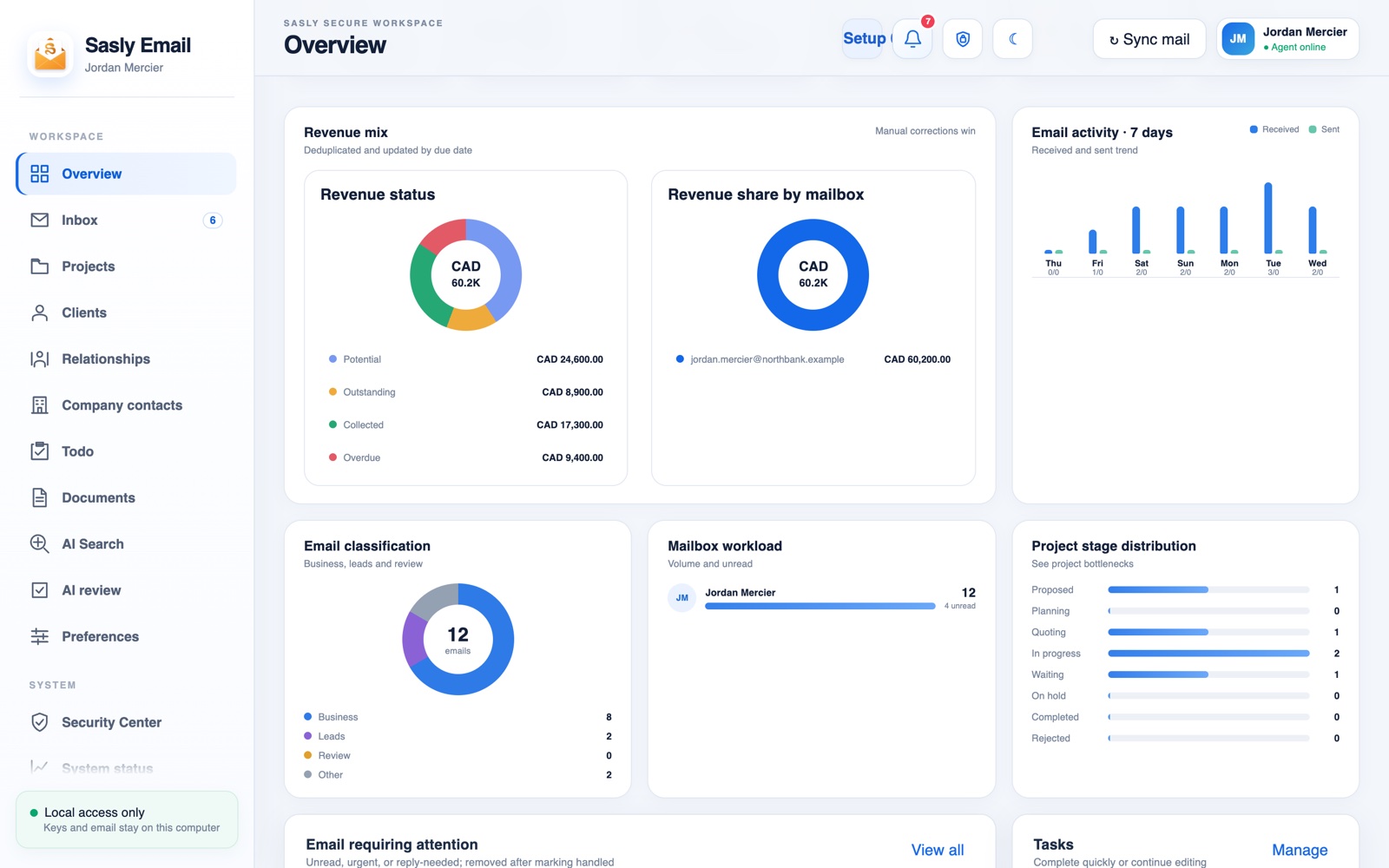
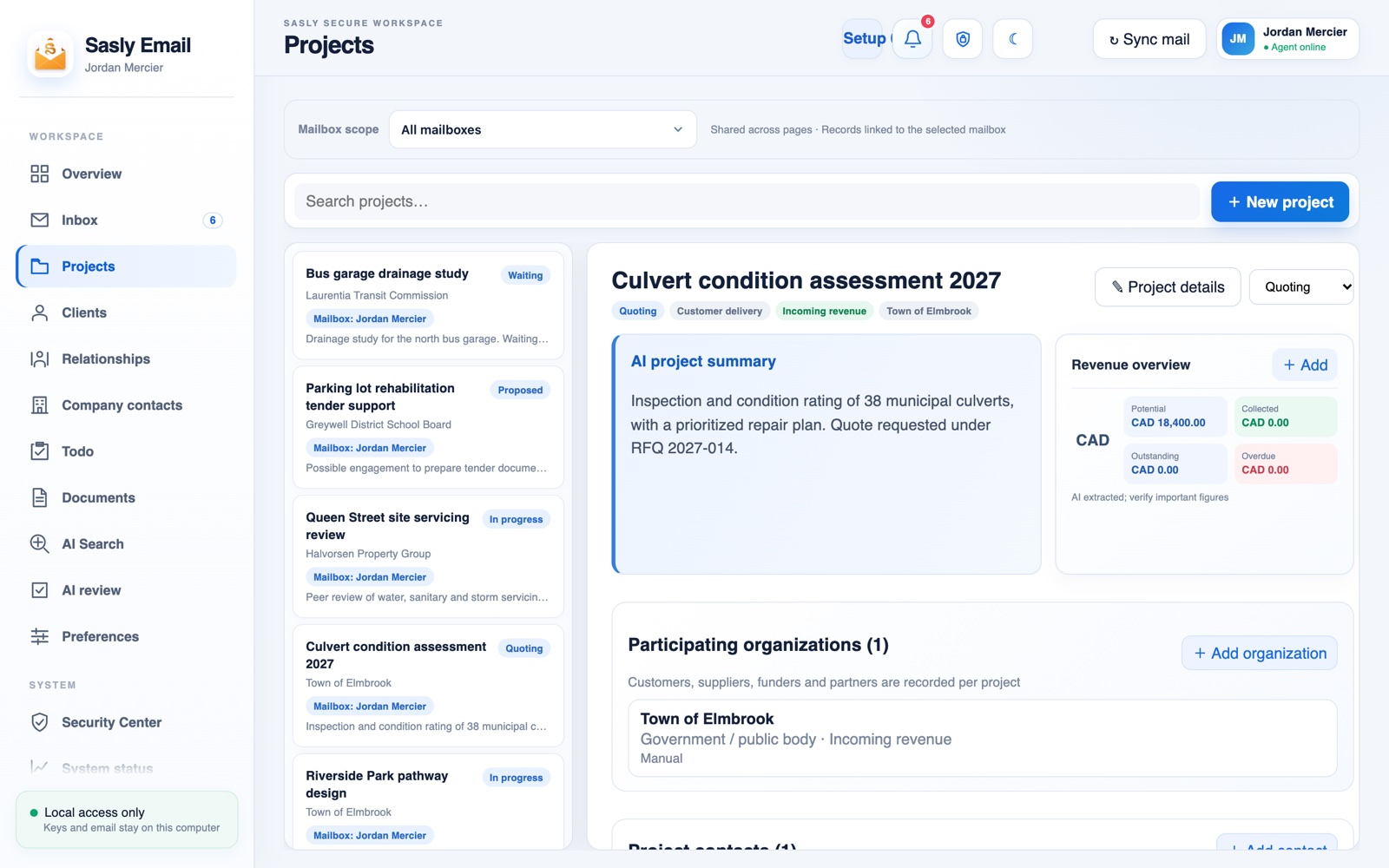
Revenue, mail volume, how mail was classified and where each project stands, on one page.
Unread, urgent and reply-needed mail is listed first, next to the tasks that are due.
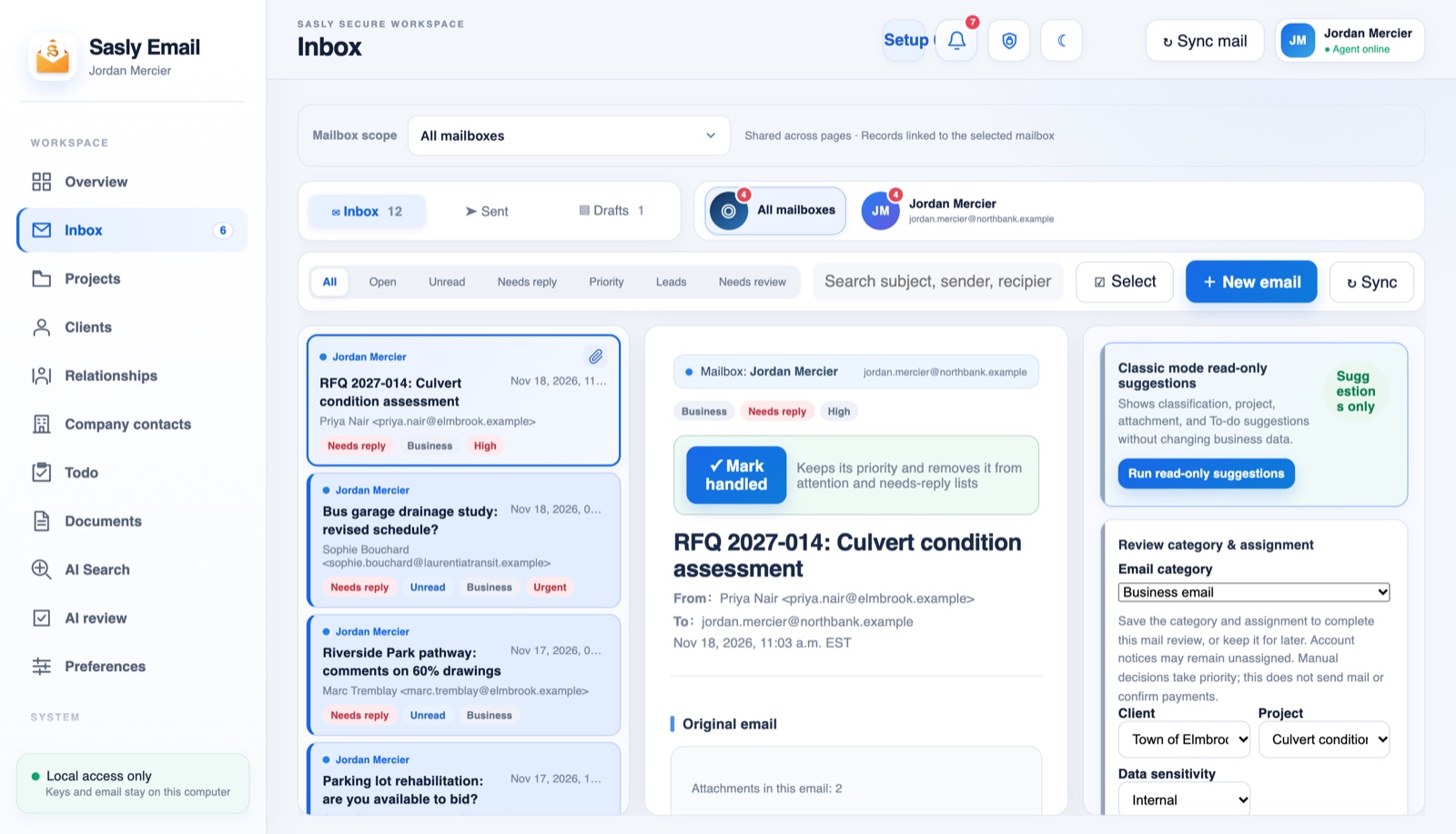
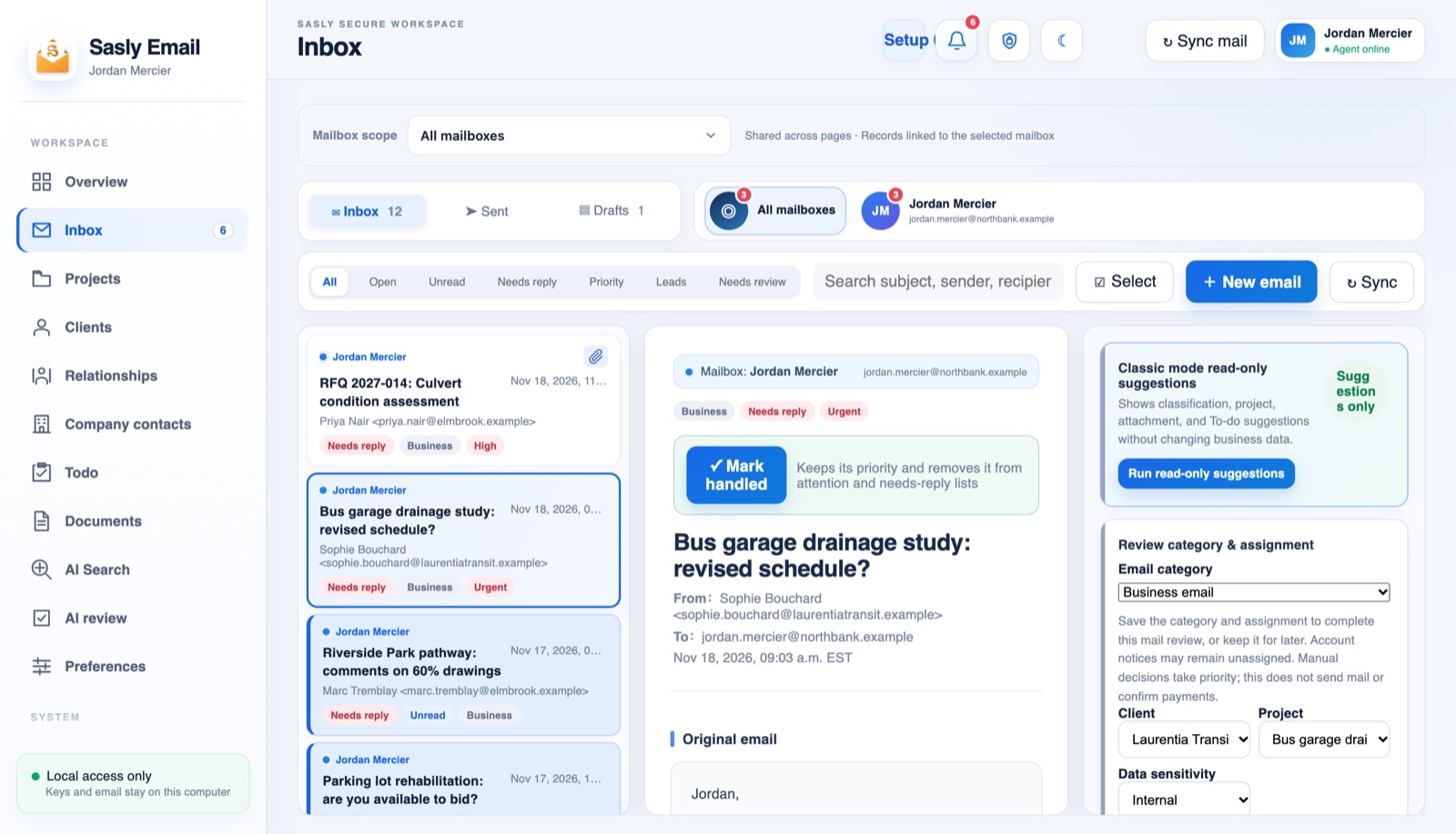
Business, lead or low priority, with flags for what needs a reply and what is urgent.
Category, client, project and data sensitivity sit beside the message, and you can correct any of them.
A project page gathers its summary, organizations, revenue, mail, tasks and files.
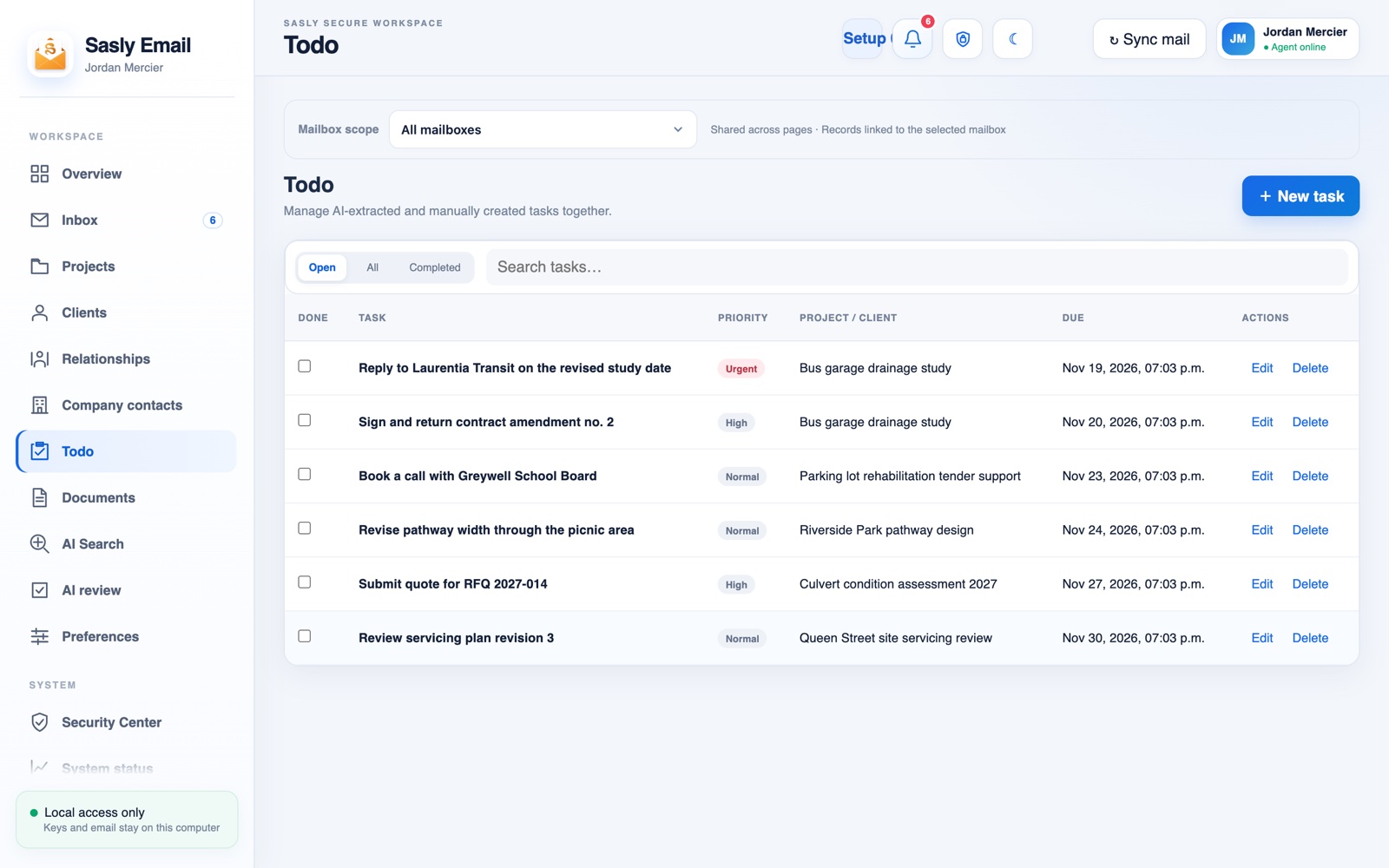
To-dos carry their priority, project and due date, whether you wrote them or they were drawn from a message.
Five steps. A person decides at the fourth.
Sasly Email does the sorting and the first draft. Nothing is sent on your behalf without someone reading it first.
- 01A message arrives in your mailboxon your device
- 02It is classified, summarized and, if needed, translatedlocal model
- 03A redacted copy may go to a cloud model you choseoptional, by your policy
- 04A draft reply is offered to the person responsiblehuman review
- 05The reply is sent and the thread is filedtraceable
Data sovereignty
Keys and email stay on this computer.
Sasly Email keeps your mail, your account keys and its AI model on your own device. The workspace is reachable only from that computer unless you decide to open it further.
A local model reads your mail.
Classification, summaries and drafts start with a language model that runs on your own hardware. For many messages nothing more is needed.
Cloud AI is your decision.
It is off unless you turn it on. If you do, messages can be redacted locally before they are sent to the specific model you chose.
Honest about redaction.
Redaction lowers the risk. It does not make a message anonymous, and we do not claim that it does.
Your existing mailbox.
Sasly Email works with the mail account you already have. There is no new mail host to trust.
Nothing phoned home.
The app contacts SASLab only when you ask it to check for updates. No mail, accounts or device IDs are sent.
Security
Locked when you step away.
The workspace locks itself, backups are encrypted, and a security center shows what is protected and what is not.
Privacy lock
The workspace locks after a period of inactivity and unlocks with your device sign-in.
Encrypted backups
Workspace backups are encrypted, and you hold the recovery material.
An audit record
Security events are logged, and the log can check its own integrity.
Human review
Drafts are proposed, never sent automatically. The person responsible approves each one.
Local access only
The workspace answers only to the computer it runs on, unless you choose to pair another device.
Secrets in the system vault
Mail account credentials are kept in the operating system’s protected store, not in plain files.
Sasly Email is in limited access. Which of these features you receive depends on the release you are given, and each is marked available, in progress or planned in its release notes.
Efficiency
Handle the important mail. Then move the work forward.
Most of the time lost to email is sorting, re-reading and finding the earlier thread. Sasly Email does those parts, and ties each message to the client, project and task it belongs to.
Sorted on arrival.
Mail is classified by what it is about and what it needs from you. What requires attention is listed first.
Summaries of long threads.
What was asked, by whom, and what is still open.
Drafts ready to edit.
A reply is prepared for the person responsible, who edits it or discards it.
One workspace.
Inbox, projects, clients, company contacts, to-dos and documents sit side by side, so a message can become a task without leaving the page.
Attachments, filed.
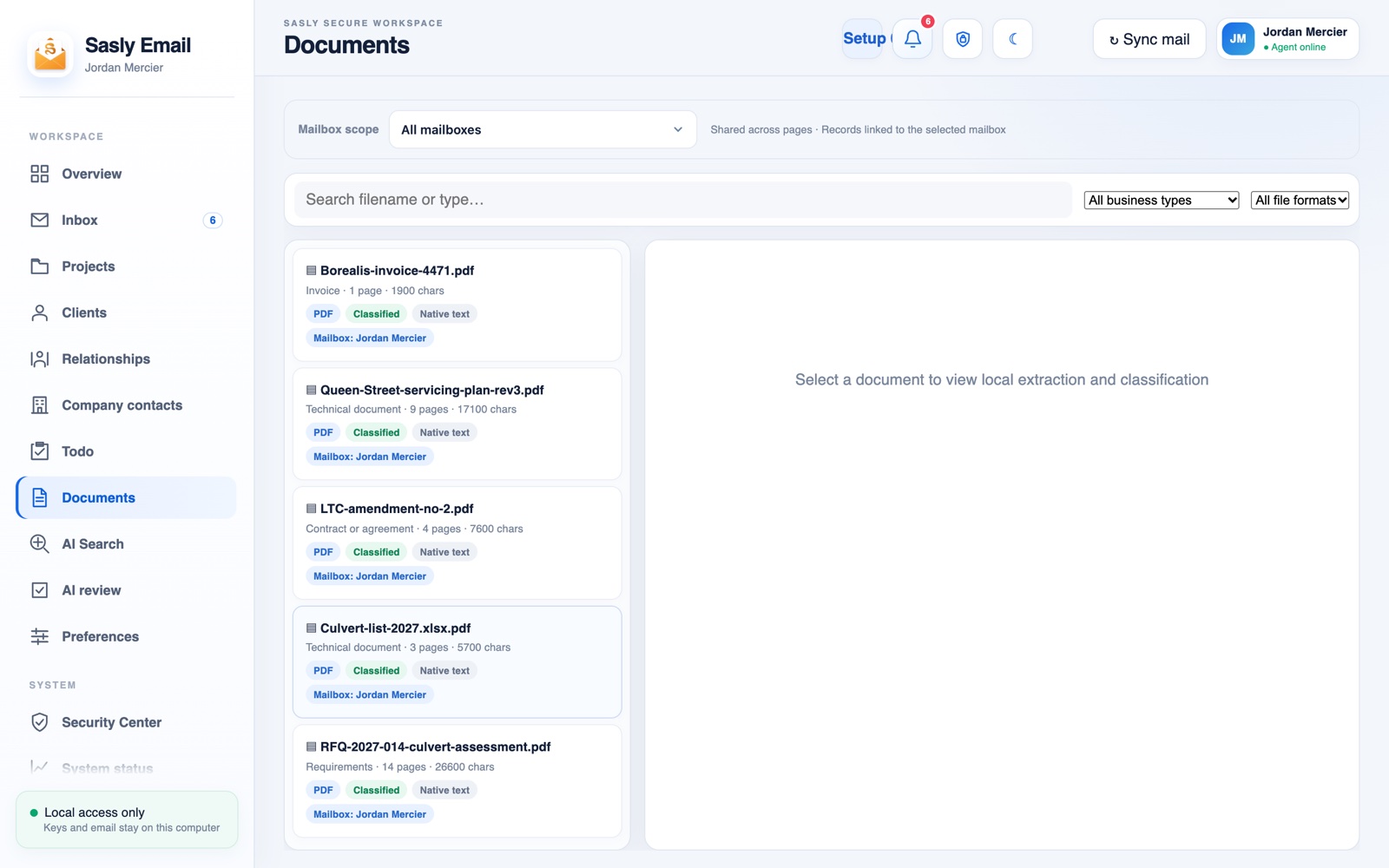
Files that arrive by mail are classified as requirements, quotes, contracts, invoices or technical documents and linked to their client and project.
Search by meaning.
Find earlier correspondence and attachments by what they were about. Scanned attachments are read by text recognition.
Translation built in.
Read and answer messages written in another language without leaving the workspace.
You stay in charge of quality.
An AI review screen lets you see and correct how messages were classified.
Cost
The reading is done by a model you already paid for.
With a local model there is no charge per message and no subscription per mailbox for AI. The app runs on a desktop computer you already own.
No per-message AI fees.
When processing stays local, there is nothing to meter.
No migration.
Keep your mail provider and your address. Sasly Email works alongside them.
Less time triaging.
The first pass through the inbox is done before you open it.
Set up in four steps.
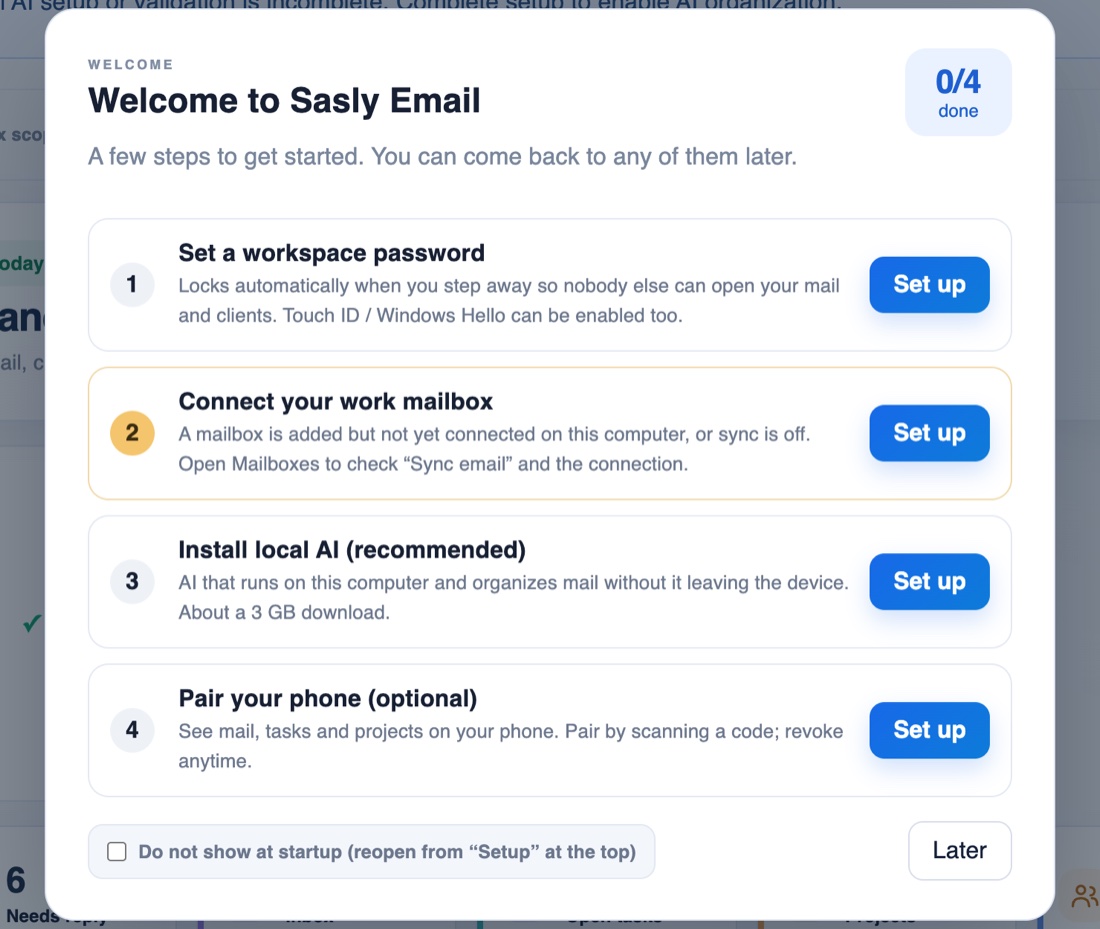
Set a workspace password, connect your mailbox, install the local AI model, and pair a phone if you want one. You can stop after any step and come back.
Tech specs
Where Sasly Email stands.
- Availability
- Limited access. We add people in small groups and ask for feedback.
- Platforms
- Desktop first, on macOS. A Windows build and a mobile companion are in development and have not been released.
- Mail accounts
- Works with the mailbox you already have.
- AI
- A local model on your computer. Optional cloud models, off by default, with local redaction.
- Languages
- English interface today.
- Pricing
- Not yet published.
Questions people ask.
Does my email leave my computer?
Not for AI processing, unless you turn on a cloud model. Your mail continues to sync with your own mail provider as it does today.
Will it send email on its own?
No. It prepares drafts. A person reads and sends each reply.
Which cloud models can be used?
The ones you configure. When a cloud model is used, how that provider handles the request is governed by the provider’s own terms, and we document which providers can be set up so you can review them first.
Are the screens on this page real?
Yes. They are the product running in a separate demonstration workspace filled with fictional mail, clients and amounts. No real mailbox was used.
Interested in trying it?
Tell us how your team handles email today and roughly how much of it there is. We will tell you whether the current release fits.